
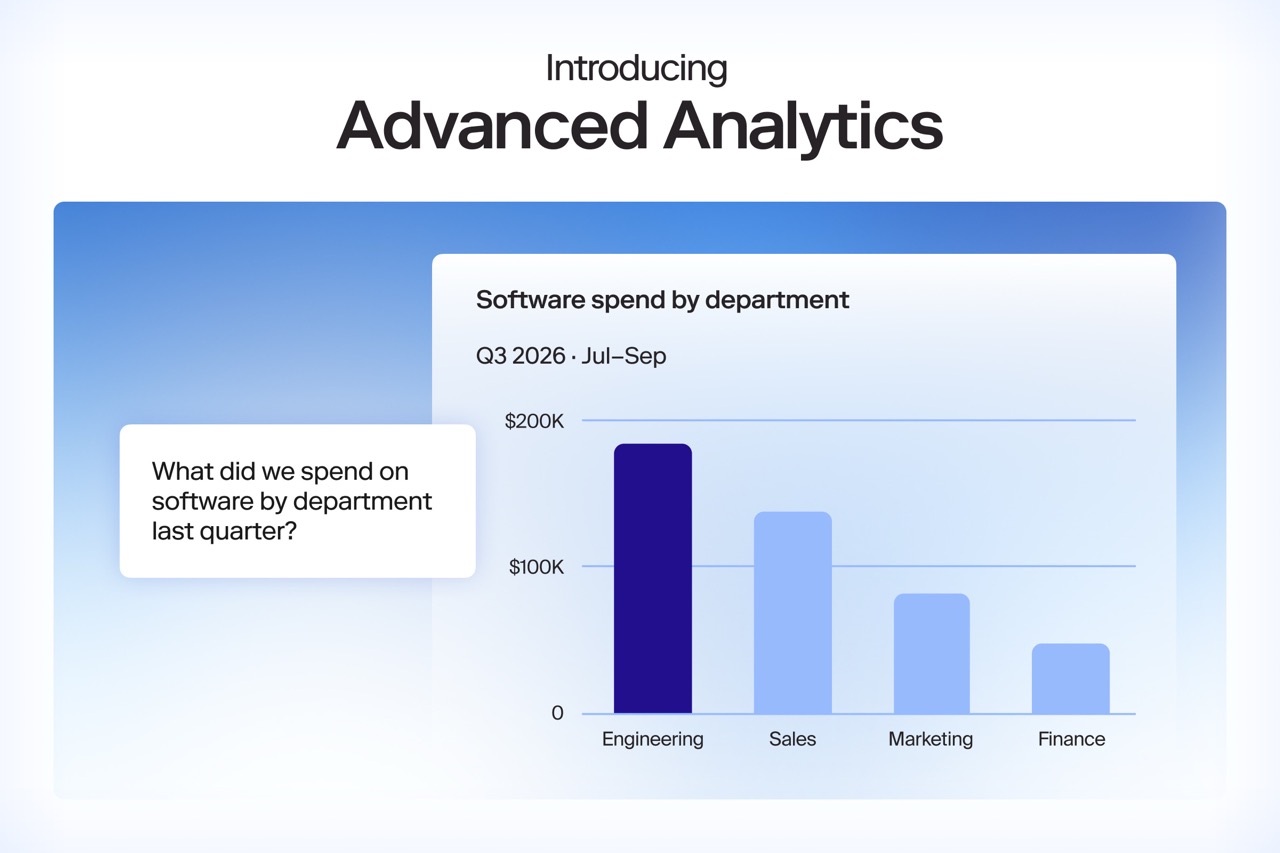
Custom procurement reports with Zip Advanced Analytics
Ask questions in plain language and get answers built on your own Zip data.

Every procurement team has questions it needs answered about their own data. Which approvers hold requests the longest? Where spend is concentrated across the top ten vendors? And which agreements renew in the next 90 days, along with what is still open with those vendors?
The thing is that everything needed to answer these questions is already in Zip. The requests are there, along with the approvals, the vendors, and the agreements. The hard part is getting them into one single, useful view.
Zip’s Core Insights already answers the questions customers consistently ask. Cycle time, approval duration, and spend by vendor or category are always on full display. Other questions are harder if they need to cross tables; finding what’s still open with renewing vendors means matching agreement dates to open requests, and finding the slowest approvers means matching approvals to the requests they held.
Until now, customers have answered questions like these outside Zip. They tell us they pipe Zip data into Data Lakes or Warehouses, rebuild Zip’s definitions of cycle time and completed review in a separate BI tool, and repair that pipeline whenever a workflow changes.
Now, Advanced Analytics lets your team build these reports inside Zip
Why pre-built procurement dashboards stop at the first question
Pre-built dashboards answer the immediate needs. Cycle time has a dashboard because everyone asks about cycle time, but follow-up questions are harder to predict. When someone asks why one category doubled the answer needs data from another table and a person who knows how to join it.
The follow-up is what leads to bad employee experience. Finance emails procurement ops, procurement ops files a ticket with the data team, and the answer lands after the budget review.
The cleanup cost of procurement data in outside BI tools
Moving the data creates a second cost. Once spend reaches an outside BI tool, someone has to fix category, cost center, GL account, and supplier before the numbers mean anything.
Zip captures and validates these fields at intake so the data is already structured by the time a request becomes spend. Exporting it means rebuilding that structure somewhere else.
How Advanced Analytics works
Ask procurement questions in plain language
Type a question about your Zip data and get a chart or table back, with no SQL. Ask a follow-up and Advanced Analytics picks up from the last answer. The finance partner's question about software spend can become a question about which approvers held those requests longest, without starting over.
Build custom reports across requests, approvals, vendors, and agreements
Combine Requests, Approvals, Vendors, and Agreements in one worksheet. You don't have to wait for Zip to pre-build a combination before you can use it. Add your own metrics, such as sums, counts, averages, and percentages, and import a CSV to put outside data next to your Zip data.
Advanced Analytics runs on Zip's own data model, so cycle time in a custom report means what it means everywhere else in Zip.
Save and share procurement dashboards
Save what you build and share it with your team. Each chart has an AI summary, and you write the prompt that shapes it, so the summary describes the data the way your team talks about it.
See Advanced Analytics in a live demo
Join us for a live demo and Q&A on January 26, 2027. We’ll start with one question in a live Zip environment, build it into a saved dashboard, and end off with a Q&A with a live customer!































AI procurement orchestration, from intake to pay
Enter your business email to keep reading
