
How accrual automation eliminates the month-end chase
Zip builds accruals from PO and receipt data, with a source behind every number.
There's a scenario that plays out in the last days of every month. Accounting exports open POs to a spreadsheet and starts sending emails and messages for the details it needs. Is this received? Is that invoice coming? What was the final amount?
Procurement answers some of these questions, requesters answer others, and a few never get answered at all. The controller gets the number eventually, but substantiating it is an arduous task at month end close.
Accruals rarely feel urgent enough to fix, so the spreadsheet stays. It also looks faster than any tool, because the slowest part of the work, chasing down inputs, happens outside it in inboxes and Slack threads.
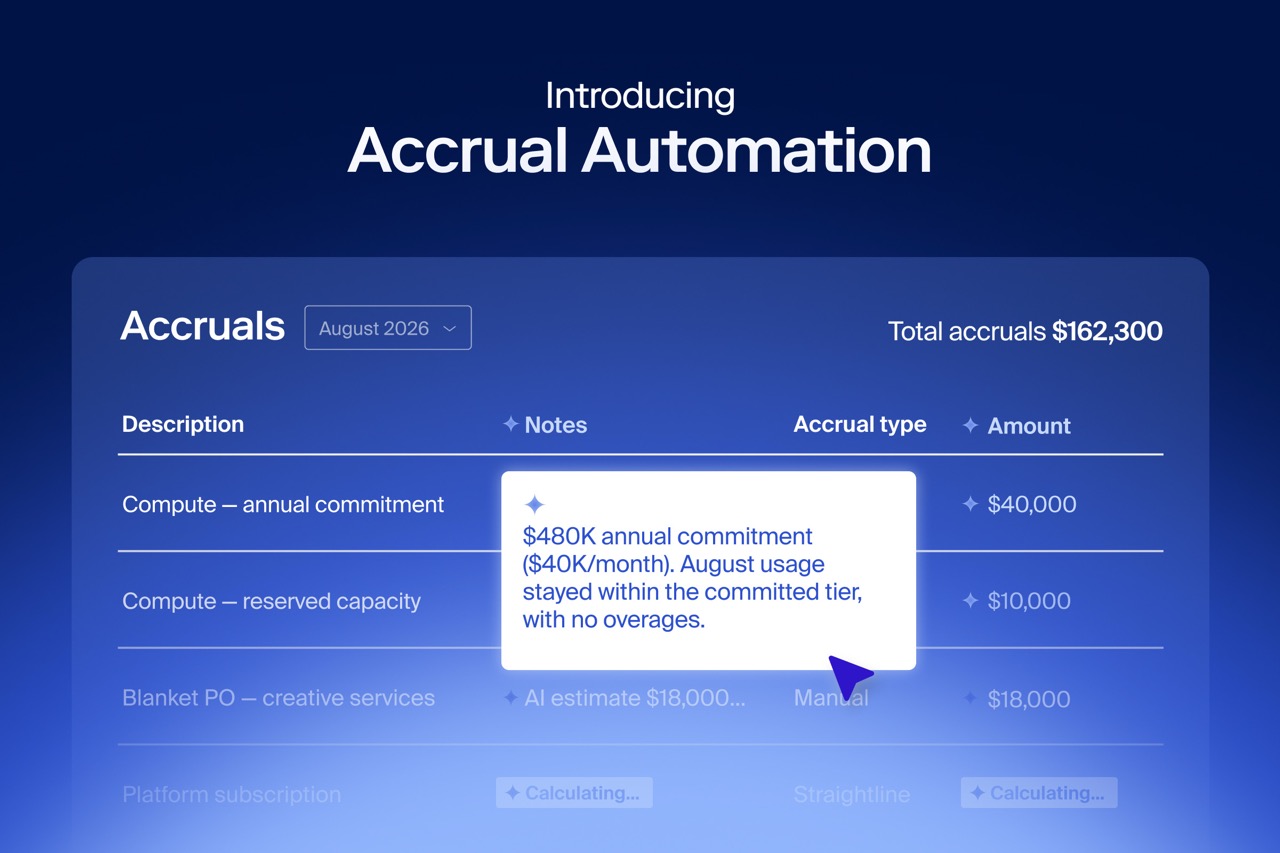
That chase is the part we set out to fix. At Zip Forward in September, we announced accrual automation, which builds accruals from the PO, receipt, and invoice data already flowing through Zip.
What is accrual automation?
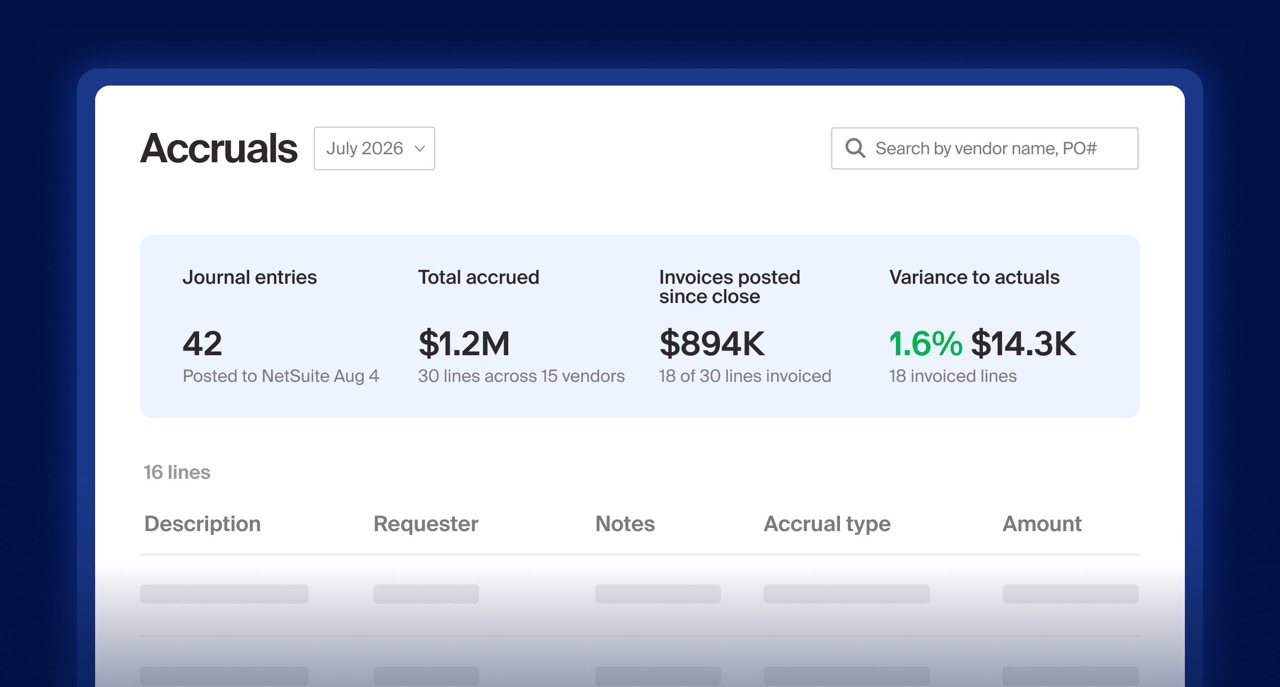
Accrual automation uses the procurement and AP data in Zip to identify what the business has received but not yet been billed for, and builds the accrual from it. Accruals become a routine that runs alongside purchasing instead of a project that starts at month-end.
It brings together five steps that accounting teams usually run by hand:
- Zip identifies what's open from the POs and receipts already in the platform, so there's no month-end export.
- Zip estimates what's owed from the PO, so every number ties back to a source record.
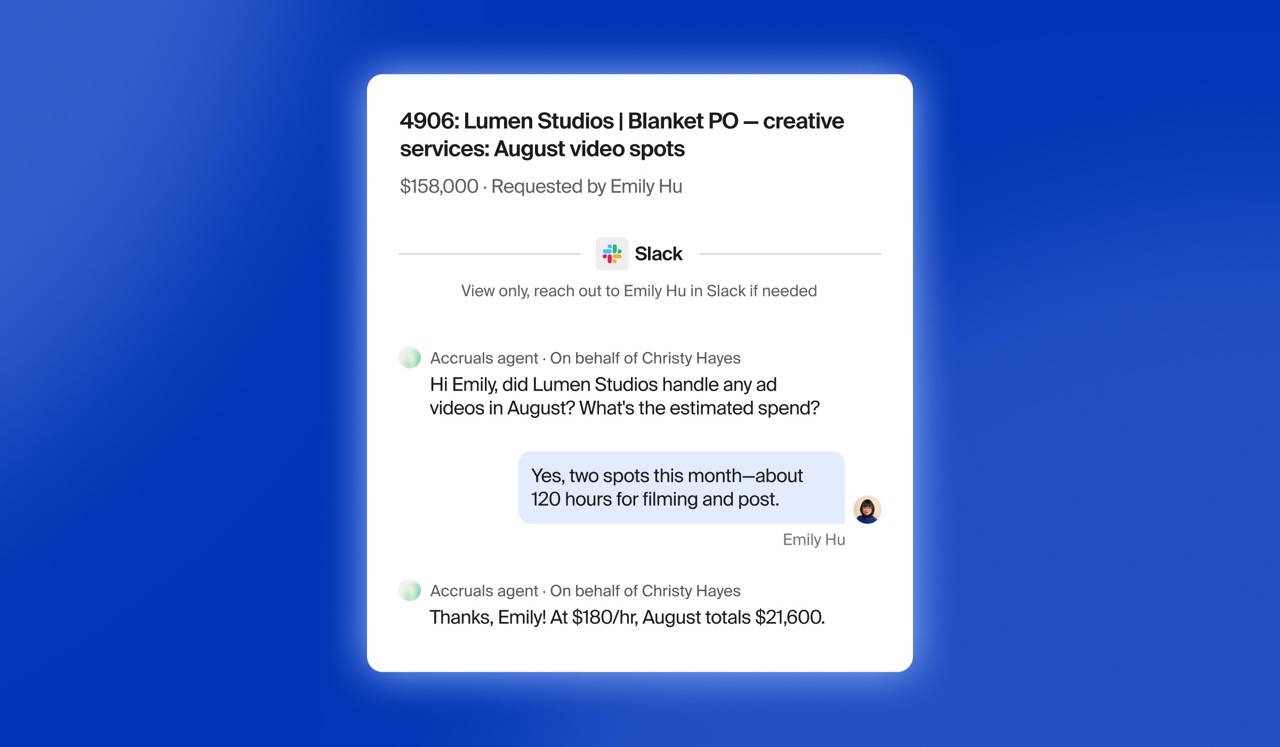
- When a line needs more information, an agent asks the PO owner or vendor directly and uses the answer to build the estimate.
- Accounting reviews the accrual in one place before it moves to the ledger.
- Zip logs the basis, the changes, and the approvals as the work happens.
Accrual automation covers PO-backed accruals, where most of the recurring work sits, and non-PO bills.
Manual accruals vs. automated accruals
Most accrual processes live in spreadsheets, so the work depends on who remembers to ask and who answers. Zip builds the accrual from the same data that runs your purchasing.
Benefits of accrual automation
Finding the inputs is the slow part of accruals, and automation removes it. The first payoff is visibility. Before close, accounting can see what's open, what's been posted, and what's still unresolved, so the final number holds no surprises.
Each accrual is also defensible. Every line traces back to a PO and to the answers collected from the people closest to the spend, so you can explain the number to an auditor without rebuilding it.
The close gets shorter, too. With fewer inputs to chase, the accrual is ready sooner and the team spends close week reviewing numbers instead of collecting them.
Most AI accrual tools only see the ledger, so they can't tell an unbilled delivery from a canceled order. Kevin Permenter, who covers enterprise applications at IDC, says that context is what makes an accrual defensible.
"Audit readiness is something finance teams feel long before they can prove it. Automated tools often struggle here because without operational context, AI is essentially guessing. Zip addresses this by systematically anchoring accrual data to its source. When finance teams aren't forced to chase down supporting details at month-end, the close cycle shrinks, and leadership gets audit-ready numbers they can act on quickly."
– Kevin Permenter, Senior Director, Enterprise Applications Research at IDC
How to move from manual accruals to accrual automation
You don't need to rebuild your close to start. Most teams move in four steps:
- Find where the time goes. Track which accrual lines take the most follow-up, and who you wait on.
- Start with PO-backed spend. It has the cleanest source data, so it's the fastest place to see results.
- Get receipts into the flow. Accruals are only as current as the receipt data behind them, so make receiving part of the purchasing routine.
- Review the exceptions and let the routine lines run. Your team's judgment goes to the lines that need it.
The future of accruals
A faster close won't fix a close that depends on chasing. When purchasing, receiving, and AP run in one platform, the accrual comes out of work the business has already done, and month-end stops being its own project.
AI handles the repetitive checks, and your team keeps the calls that matter, such as approving an estimate or challenging a number that looks off.














AI procurement orchestration, from intake to pay
Enter your business email to keep reading
