
Integrations
Easily connect to the tools and systems in your tech stack with Zip’s extensive integration options.
.webp)
Explore Zip's catalog of integrations and quickly connect pre-built integration templates.
Browse 100+ integrations
Connect your procurement stack with integrations for your ERP, P2P, CLM, GRC, ITSM, and more.
Connect seamlessly
Install pre-built integration templates in just a few clicks. Connect integrations seamlessly with AI-guided setup.
Update with ease
Manage your integrations in one place and update in just a few clicks, no IT support required.
.webp)
Customize and configure integrations on Zip's native integration platform.
Customize to your needs
Build custom integrations within Zip’s first-party integration platform, tailored to your company’s specific needs.
Unify your workflow
Leverage an intuitive UI to sequence integration triggers and actions directly within your Zip workflow.
Automate compliantly
Capture approval history and changes made to vendor and purchase data via integrations in a single, exportable audit trail.
.webp)
Bring real-time procurement data into Claude, ChatGPT, or any MCP-compatible AI tool.
Query in natural language
Find preferred vendors, check request status, or pull spend data, all within your preferred AI tool.
Secure by default
Authenticate every user and log every action back in Zip's audit trail for full traceability.
Works with the tools you use
Connect the Zip MCP server to Claude, Cursor, ChatGPT, or any MCP-compatible tool in minutes.
.webp)
Build and manage your own integrations with Zip's APIs and flat file imports.
Your data, your way
Extract, create, and update data across vendors, requests, invoices, and POs, through Zip’s APIs or import-ready flat files.
Permissioned by design
Set permissions per API key or OAuth connection, down to the resource, action, and individual user role, so each integration only touches the data it needs.
Built to last
Predictable, well-documented REST endpoints mean your integration keeps working as your stack and Zip evolve.
Marketplace
Explore Zip's catalog of integrations and quickly connect pre-built integration templates.
.png)
Browse 100+ integrations
Connect your procurement stack with integrations for your ERP, P2P, CLM, GRC, ITSM, and more.
Connect seamlessly
Install pre-built integration templates in just a few clicks. Connect integrations seamlessly with AI-guided setup.
Update with ease
Manage your integrations in one place and update in just a few clicks, no IT support required.
App Studio
Customize and configure integrations on Zip's native integration platform.
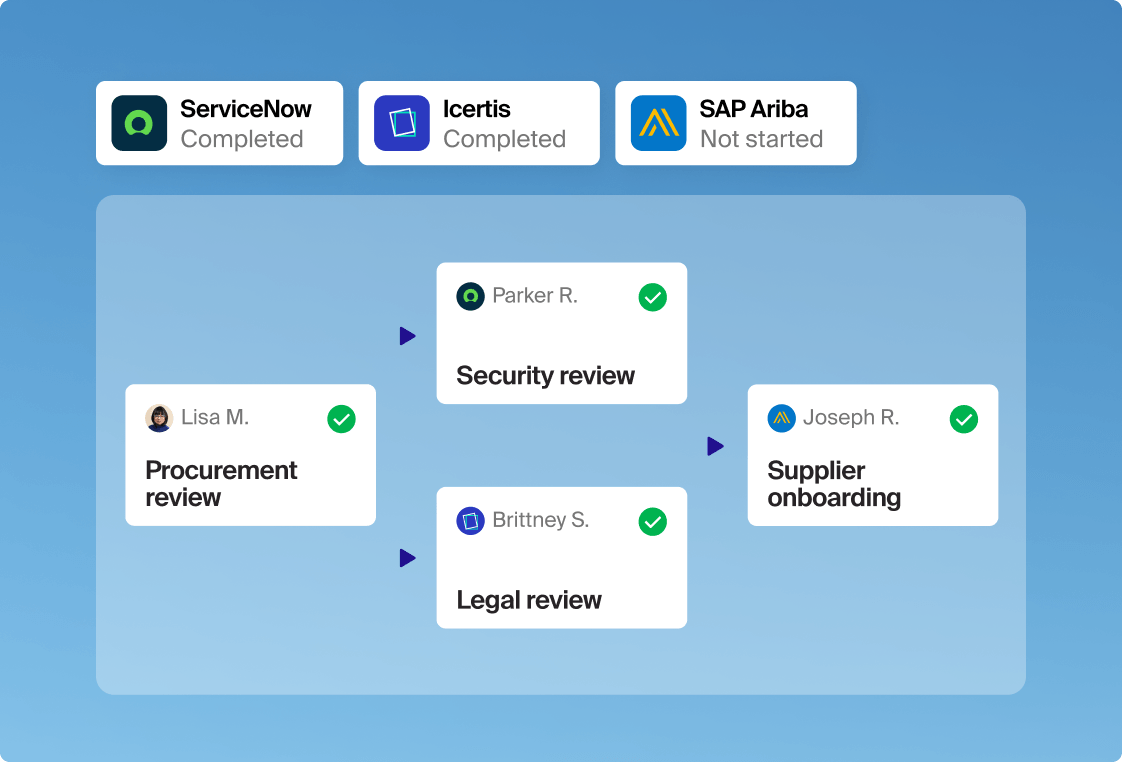
Customize to your needs
Build custom integrations within Zip’s first-party integration platform, tailored to your company’s specific needs.
Unify your workflow
Leverage an intuitive UI to sequence integration triggers and actions directly within your Zip workflow.
Automate compliantly
Capture approval history and changes made to vendor and purchase data via integrations in a single, exportable audit trail.
Zip MCP
Bring real-time procurement data into Claude, ChatGPT, or any MCP-compatible AI tool.
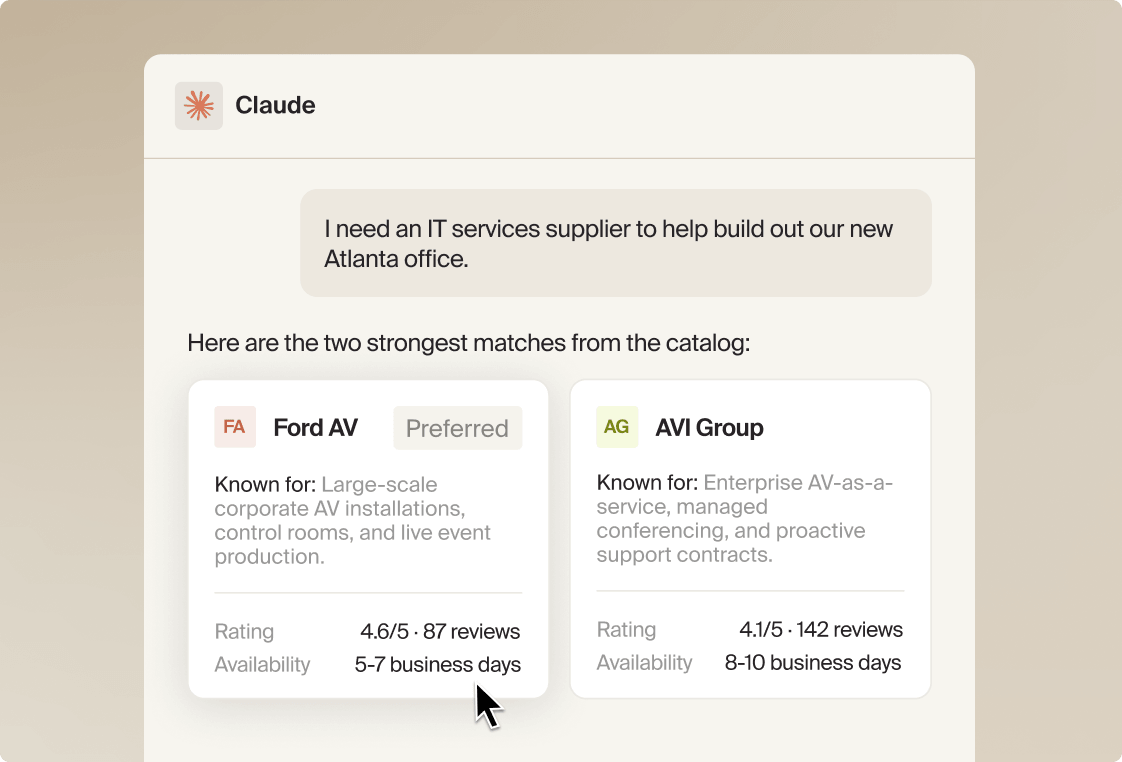
Query in natural language
Find preferred vendors, check request status, or pull spend data, all within your preferred AI tool.
Secure by default
Authenticate every user and log every action back in Zip's audit trail for full traceability.
Works with the tools you use
Connect the Zip MCP server to Claude, Cursor, ChatGPT, or any MCP-compatible tool in minutes.
Self-administered paths
Build and manage your own integrations with Zip's APIs and flat file imports.
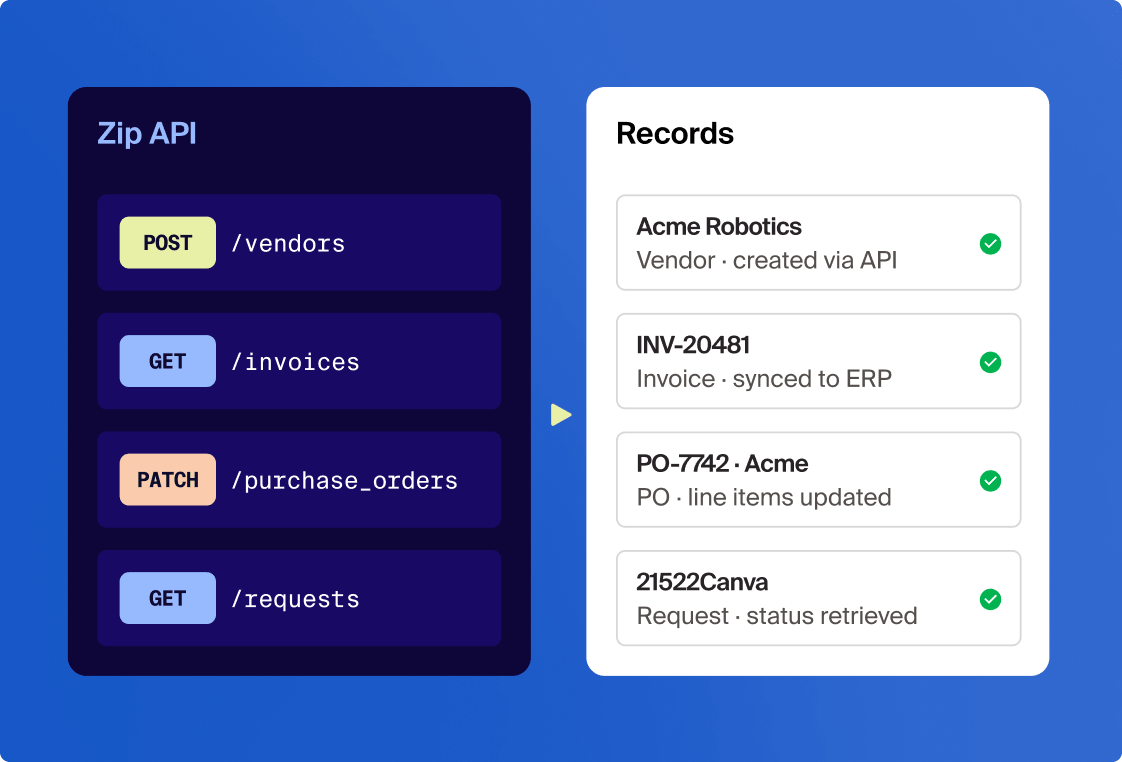
Your data, your way
Extract, create, and update data across vendors, requests, invoices, and POs, through Zip’s APIs or import-ready flat files.
Permissioned by design
Set permissions per API key or OAuth connection, down to the resource, action, and individual user role, so each integration only touches the data it needs.
Built to last
Predictable, well-documented REST endpoints mean your integration keeps working as your stack and Zip evolve.

“
We were using Salesforce for procurement tickets and then manually inputting information into other systems. It was really painful and took a long time. With Zip, end users submit their request, send it to stakeholders, and the status is sent back — it's a great result for the end user.
.webp)
Lud Hrova
Director of Procurement

“
Zip's low-code and no-code integrations were very helpful. Compared with our old system, it's night and day in terms of experience and ease of use. Employees love the transparency and visibility, especially our cross-functional teams.

Christopher Kee
VP of Sourcing and Procurement

“
The agility of Zip’s system has been the best aspect. I don't need to go to my software partner and take six months to get something changed. I can just have my team go into the system, make an adjustment, and change things on the fly.
.webp)
Kris Aksteter
Director of Procurement & Strategic Sourcing
FAQs
What integrations does Zip support?
Zip offers 100+ integrations across the entire procurement tech stack, including the following, and more:
- ERP & Finance: SAP S/4HANA, Oracle Fusion, Workday, Netsuite, Microsoft Business Central, Sage Intacct, Concur, Vertex, Anaplan, Pigment
- Procurement & Sourcing: SAP Ariba, Coupa, SAP Fieldglass, Ivalua, Fairmarkit, Beeline, Globality, Keelvar, SpendHQ, Elementum
- Contract & eSignature: Docusign, Adobe Acrobat Sign, Ironclad, Agiloft, LinkSquares, Evisort, SpotDraft, PandaDoc, Onit
- Risk & Compliance: ServiceNow, Archer, OneTrust, Vanta, Drata, Auditboard, Dun & Bradstreet, Moody's RDC, LSEG World Check One, Logic
- ITSM & Work Management: ServiceNow, Jira Cloud, Zendesk, Ivanti, Freshservice, Jira Server, Happyfox, Siit
- Collaboration & Productivity: Salesforce, Slack, Asana, Notion, Airtable, Smartsheet, Linear, Coda
- Data & Integration: Snowflake, Google Drive, Box, Microsoft Graph API, OpenAI, Dropbox, Celigo, Oracle APEX
- Identity & Access: Okta, Microsoft Entra, Lumos, Torii
- Payments & Expense: Brex, Stripe, Concur
What are the different ways to integrate with Zip?
We offer a few flexible paths depending on your systems and needs:
- Pre-built integration templates: Browse available templates on Marketplace, connect them with an AI-guided setup, and manage them centrally within Zip.
- Custom integrations: Build low-code and fully custom integrations on Zip's native integration platform, App Studio, tailored to your company's needs.
- Zip MCP: Bring Zip data into Claude, ChatGPT, Cursor, or any MCP-compatible AI tool. Find preferred vendors, check request status, or pull spend data within your AI workflow.
- API & flat files: Build and administer your own integrations with Zip's documented REST APIs, or sync data with import-ready flat files.
What is Zip's Marketplace?
Zip's Marketplace is a catalog of pre-built integration templates that you can connect quickly with an AI-guided setup. Once connected, you can manage integrations directly inside Zip.
What is App Studio?
App Studio is Zip's proprietary integration platform (iPaaS), built and owned by Zip. It powers integrations across Zip and lets teams build custom integrations embedded directly into Zip workflows. Integration triggers and actions are sequenced within approval steps, and every change is captured in an exportable audit trail.
Do I need a developer or IT team to set up an integration?
Not for pre-built templates. An AI-guided setup wizard walks admins through connections, field mapping, and settings, so no developer is required. For more tailored needs, Zip's expert team partners with your teams to scope, design, configure, and test integrations.
Can I connect a tool Zip doesn't have an integration for?
Yes. Our team will work with you to evaluate the right path for the integration you need. You can also integrate on your own through Zip's APIs (or through your existing iPaaS), or use repeatable flat file imports for master data.
How are integrations governed?
Every integration is tracked and managed within Zip, whether it was installed from Marketplace or built in App Studio. For Marketplace templates, you can see what's installed, what version you're on, and apply one-click upgrades. For custom integrations built in App Studio, every change is captured in an exportable audit trail. In both cases, admins control who has permission to make changes.